

Integrate Scan to Pay
This guide walks you through the end-to-end integration flow for Scan to Pay, from customer registration to payment status tracking.
Step 1 — Register a Customer
Customer registration is required before using Scan to Pay.
1. Register a Customer
Submit the customer's identity information and email address through the Register Customer API. Each country specified in transactionCountries is reviewed separately, and requirements may vary by country.
- Monitor the
SCAN2PAY.CUSTOMER_ACTIVATION.UPDATEDevent for activation status updates. - A successful request returns a
customerId. Store thecustomerIdfor subsequent API requests.
2. Check Customer Registration Status
Customer registration status is updated asynchronously. Use webhooks or the Customer Profile API to track the activation status for each requested country.
- If additional information is required, submit the requested information through the Update Customer API.
Step 2 — Create a Payment Order
1. Create a Payment Order
Call the Create Payment Order API to initiate a payment to the merchant. The request includes the customer ID, fiat payment amount, and merchant QR code data.
- For a dynamic QR code that contains a payment amount, the amount submitted in the request must match the amount encoded in the QR code. Interlace validates the two amounts.
- The Parse QR Code API can be used to parse the QR code before creating a payment order.
2. Balance Deduction
Interlace automatically calculates the corresponding stablecoin amount based on fiatCurrency and fiatAmount and deducts it from the partner's account balance. No exchange rate calculation is required on the partner side.
The actual stablecoin amount deducted and the applicable fee amount are provided in the order notification.
3. Fiat Payment
After the balance is successfully deducted, Interlace initiates a fiat transfer to the merchant's account.
Step 3 — Track the Payment Status
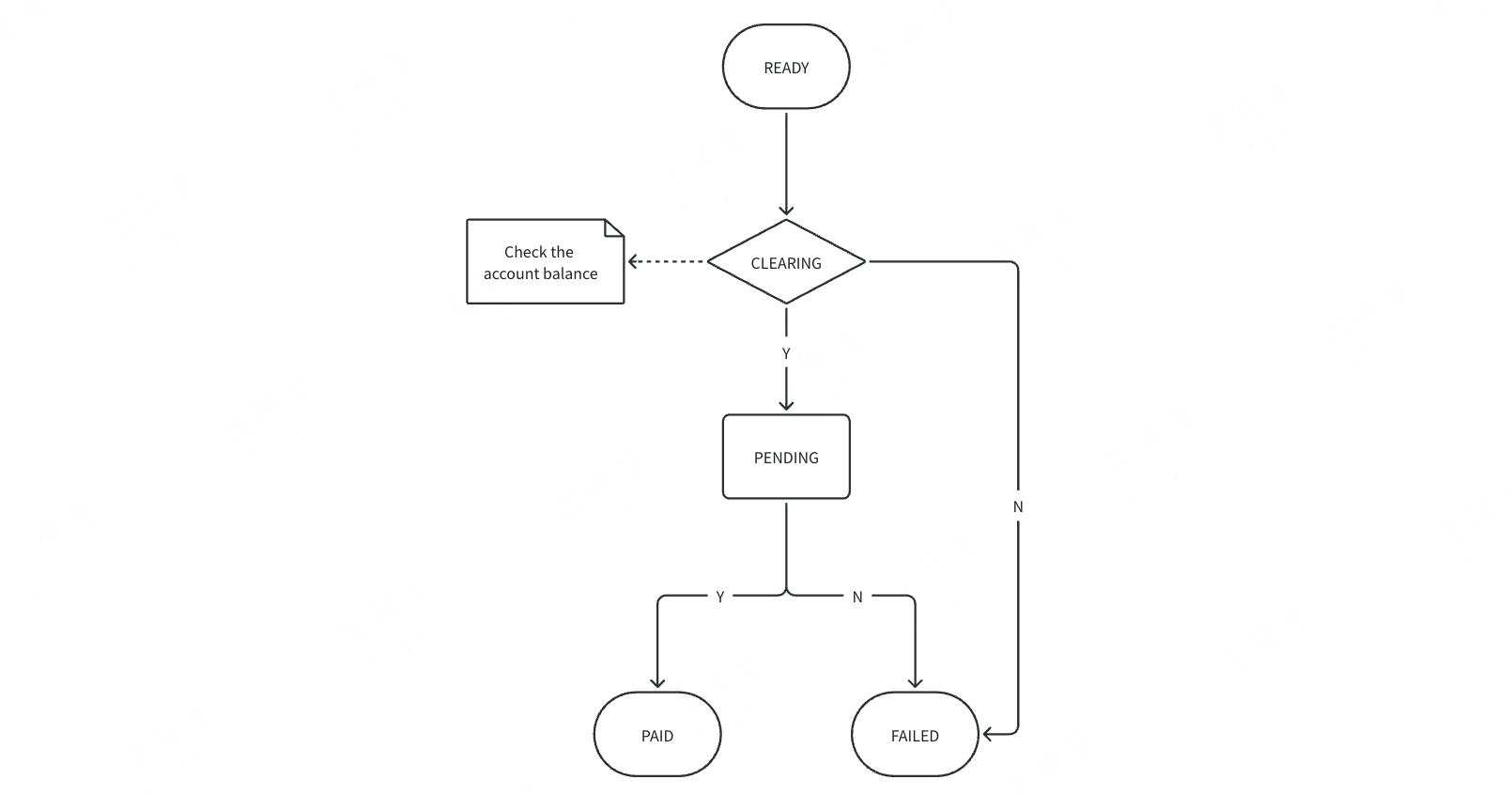
A successfully completed payment reaches the final status PAID. Payment status should be tracked for reconciliation, order completion, and payment result handling. Interlace provides two methods for tracking payment status:
- Webhooks: Receive payment status updates asynchronously in real time.
- Get Order Details API: Retrieve the latest order status for polling, reconciliation, exception handling, or as a fallback if a webhook is missed.
Payment Order Lifecycle
The following diagram illustrates the payment order lifecycle and possible status transitions.
Updated 2 months ago