

Solutions
This section describes the available integration options and how each approach works.
1. API-ONLY
The API-ONLY integration option enables merchants to build and manage their own payment flow through direct server-to-server integration.
This approach provides full control over the payment workflow, user interface, and transaction handling logic. It is suitable for merchants with development resources and full PCI DSS compliance capabilities.
2. Iframe
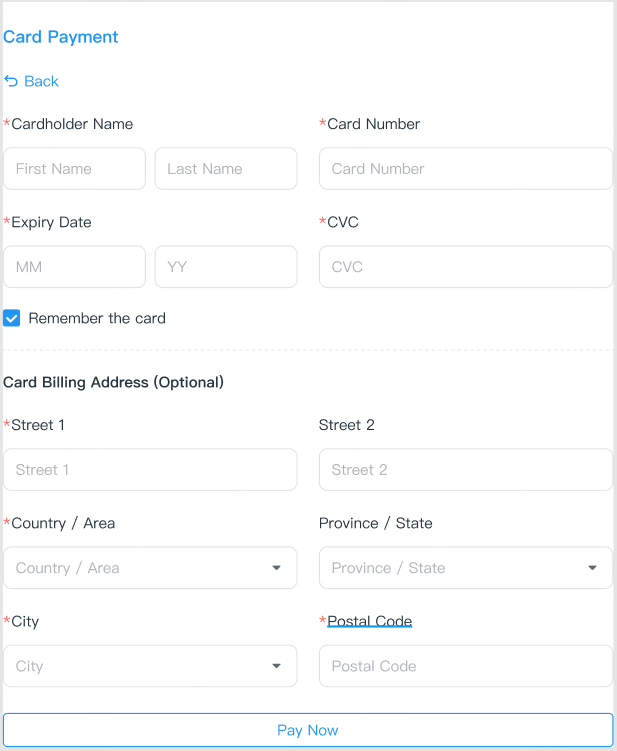
The Iframe integration option allows merchants to securely collect sensitive payment information, such as card number, CVV, and expiration date, by rendering these fields within an embedded iframe on the checkout page.
This approach enables customers to complete payments without being redirected to a new page, while ensuring compliance with PCI security requirements.
3. Checkout
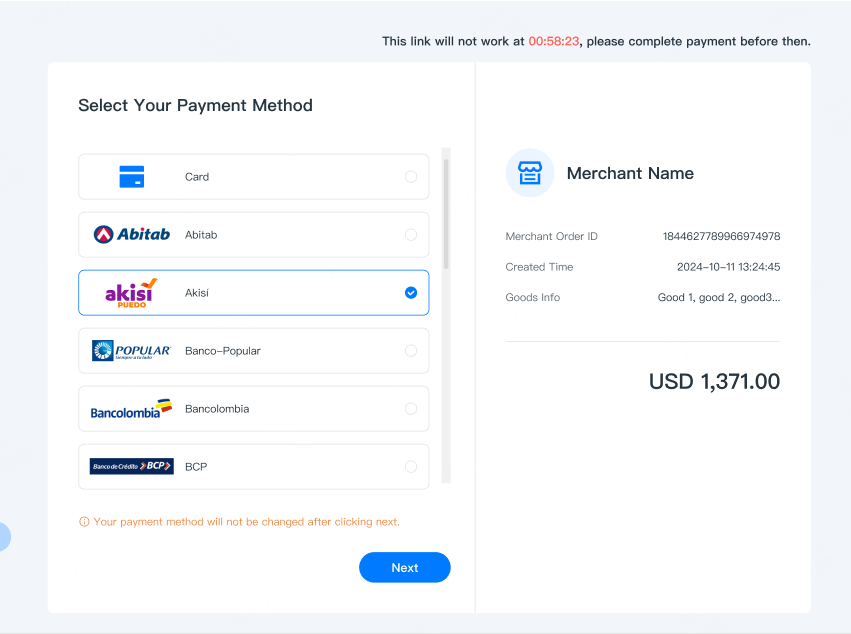
The Checkout integration option allows merchants to accept payments through a secure, Interlace-hosted checkout page.
This approach uses a pre-built payment workflow that supports multiple payment methods and simplifies integration. Customers are redirected to the hosted checkout page to complete the transaction. Sensitive payment data is handled by Interlace, eliminating the need for merchants to maintain PCI DSS compliance for card data handling.
How It Works
- Create a Payment Request
Send a POST request to the payment endpoint with a JSON request body that includes the required payment information, such as amount, currency, item details, and payer information.
- Redirect the Customer
After a successful request, the response returns a unique payment link (redirectToPay). Redirect the customer to this link to complete the payment.
By default, the payment link can be used only once.
- Complete the Payment
The customer enters the required payment details, and Interlace processes the transaction.
- Receive Payment Updates
Your notification_url receives asynchronous updates about the payment status. Once the transaction is completed, use these updates to confirm the final status in your system (for example, approved or declined).
Note: A webhook event is triggered whenever the payment status changes. The endpoint that receives these updates can be configured dynamically for each transaction or statically in the Interlace dashboard.
Updated 6 months ago